QuickAIHeadshots
Generate Professional AI Headshots from Your Selfies
Upload casual selfies and create studio-quality LinkedIn, resume, and business profile portraits. Powered by Flux on Cloudflare Workers AI.
Create your AI headshots
Drag & drop 1–5 clear solo selfies (one face per photo · JPG/PNG · max 10MB). Group photos won’t work well.
Drop solo selfies here or click to browse
One person per photo · JPG/PNG · up to 5 files · 10MB each
Tip: front-facing, well-lit, face clearly visible. Avoid group shots, sunglasses, and heavy filters.
Source photos
No photos uploaded yet.
Generated headshots
Generated portraits will appear here with download buttons.
Why use this AI headshot generator
Built for professionals who need a polished LinkedIn headshot without booking a studio.
Studio-Quality Portraits
No expensive photoshoot required. Transform casual selfies into sharp, professional business headshots with realistic skin and lighting.
Multiple Professional Styles
Switch between corporate, minimalist, warm studio and neutral background variants. Generate multiple options to pick your best profile photo.
Privacy-First Workflow
All uploaded source photos are temporary. Your original selfies will be purged automatically within 24 hours after generation.
How it works
Three simple steps to a professional AI headshot.
Upload Your Selfies
Upload 1–5 clear solo selfies of you only — one face per photo. Front-facing shots work best; group photos are not supported. We automatically delete your source images after 24 hours to protect your privacy.
Pick Your Portrait Style
Choose from multiple professional studio styles: corporate office, minimalist background, formal business, soft studio lighting. Our Flux AI model will re-render your portrait.
Download Your Headshots
Get ready-to-use high-resolution profile photos. Download individually or save all generated headshots for LinkedIn, resumes and company team pages.
Sample professional headshots
Example styles you can create with an AI LinkedIn headshot workflow.
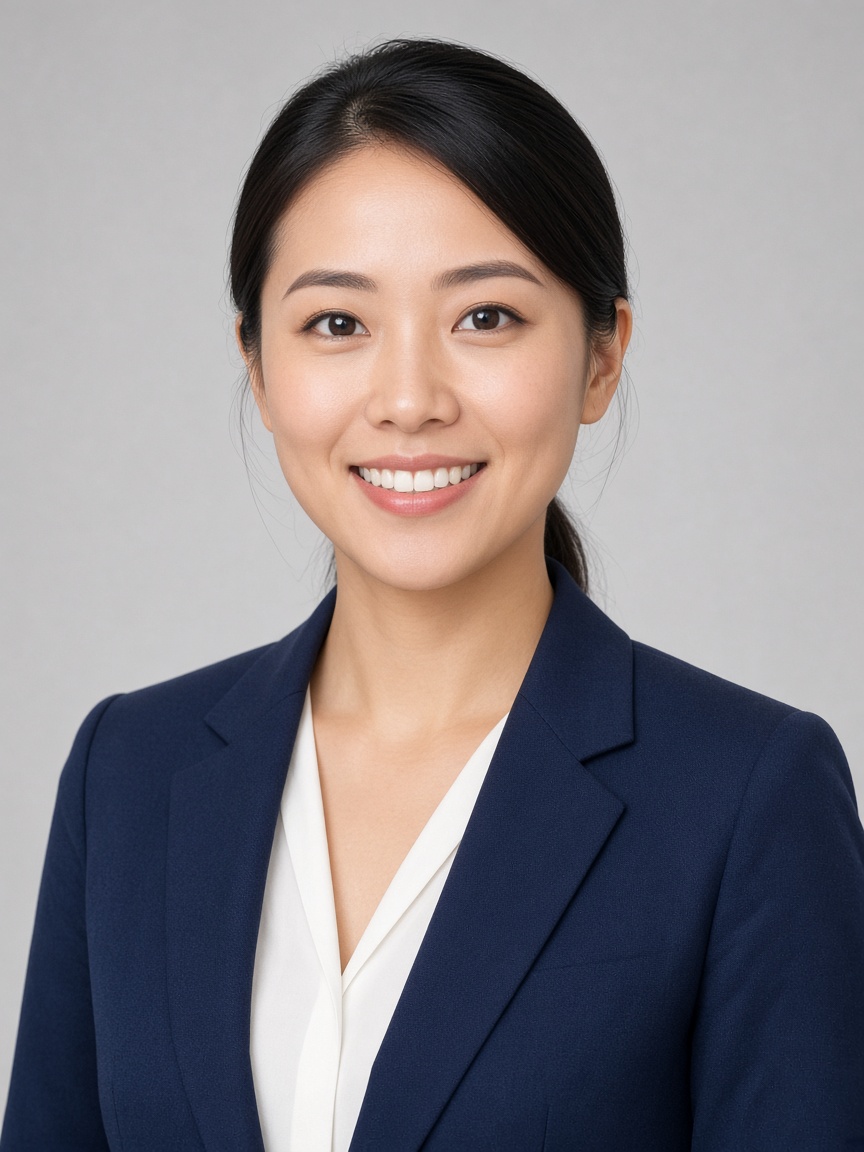 Sample 1
 Sample 2
 Sample 3
 Sample 4
Common questions
Learn about uploads, privacy, and how professional AI headshot generation works.
- How many photos can I upload?
- You can upload 1–5 solo selfies per generation batch (one person per photo — group shots are not supported). Each file must be JPG or PNG and no larger than 10MB.
- Are my uploaded photos private?
- Yes. Source photos are stored temporarily in Cloudflare R2 and are automatically deleted within 24 hours. We do not use ad pixels or affiliate tracking scripts.
- Is QuickAIHeadshots.dev the official QuickAI Headshots website?
- QuickAIHeadshots.dev is an independent AI headshot generator tool. It is not affiliated with, endorsed by, or connected to quickaiheadshots.com or any other QuickAI Headshots product.
- How does AI headshot generation work?
- Your uploaded selfies are processed with Flux on Cloudflare Workers AI to produce polished professional portraits suitable for LinkedIn and business profiles. Each successful generation uses one image credit.
Start with free AI headshot credits
Sign up for 5 free credits, then upgrade when you need more professional headshots for LinkedIn and business profiles.
See credit plans